/images/logo.png
A Network Blog by a Network Engineer

…just about time for Cisco Live 2011


Well the time is just about here, the time for Cisco Live 2011 in Las Vegas, NV.
I will post updates as the days progress, just like I did last year.  Hoping to recap the experiences, mention the bad, highlight the good, and recognize the great.
The posts should be fast and furious – my twitter feed should be streaming!
To all those who will be there with me, safe travels, good times and see you soon!



CCIE Data Center – Rumored

[][1]
CCIE
With Networkers, err Cisco Live, coming up quickly in less then a week the rumor mill is a buzzing with some good rumors.  There is a rumor that a new little brother in the Nexus line is coming, but the one that has my attention is perhaps a new CCIE level certification – might even be retiring one that has overlapping technologies (storage).  Over on 2bccie.com, there is a post in regards to the CCIE Data Center track being discussed on day during the CCIE Lunch at Cisco Live Melbourne  – link. While that is all still rumors, here is what I can gather by researching available resources and taking some educated guesses on what would be on the lab.  I will also admit that this was briefly discussed at Cisco Live 2010 and that was in a session that would have the knowledge about the topic, so much of this comes from what I can read from my chicken scratch notes.  Obviously, Cisco has been working on this for some time and the maturity of the line is finally at the stage and market saturation where this certification makes sense.

Hidden Commands – Test Crash and CSIM

I was working on some stuff the other day in the lab and needed to demonstrate how to tell why a router reloaded.  Did it reload by the reload command?  SNMP string? or some random Error (not withstanding Solar Flares).  Well, the first two are easy to demonstrate, but the third one is a little difficult. Or is it…
As we all know there are some hidden commands out there – a popular one is CSIM (Call Simulator).  It is used to generate a call from a Cisco router to test a dial-peer and trunk configuration.  If you are on Cisco router, you can type
(quick housekeeping)
Router/Switch Output
Commands
Notes
PSTNGateway.PA# csim start 6105551212
csim: called number = 6105551212, loop count = 1 ping count = 0
csim err csimDisconnected recvd DISC cid(1170604)
csim: loop = 1, failed = 1
csim: call attempted = 1, setup failed = 1, tone failed = 0
PSTNGateway.PA#
That command, CSIM, will tell the router to dial 6105551212 and place a call.  They usually returned with a failed state, but I can assure you my phone rang (I changed the number in the post)
OK, I digress a bit there but I wanted to provide a hidden command that would not be destructive that you can look at.
So, how does one show a fellow engineer what a crash looks like, well TEST CRASH is the command.  And yes, it is a hidden command that will crash the router.

IOS 15 License


The other day I was looking for a Cisco IOS 15 license matrix and was unable to find anything definitive and all that I was doing was trying to find out what services are enabled in different images. Granted, one can use the Feature Navigator to find out and compare, but sometimes we just need something quick and simple.
In IOS 15 there is a Base image, a Security Image, a Data Image, and a Unified Communications / Collaboration Image.  Each one has some common features, but for the most part each are different.  Below is a matrix that I was able to put together using the Cisco Feature Navigator and comparing all the images to each other.  If you would like an Excel version, you can click here

I had to remove the in-line matrix for the moment as it was just too big for WordPress to handle.  For now, just grab the link above.
Also, I think I need to check a few things with some of the other hardware out there.  I think the Cisco 3925e that I selected has much more features in the base code then say, a 2901 would have.  I will do an updated post shortly on some of the model comparisons and IOS feature matrix.


Quick update…

Just wanted to take a moment and let you know that as of today, I have made a quick change to the front page of the blog.
Historically when you visit the site you where presented with the full article on the front page – this has led to slow load times as well as an increase in bandwidth usage.  In order to try and 1) Save your time; 2) Reduce server load; and 3) Save bandwidth I have added a READ MORE AND COMMENT button to the posts.  Just click on the more and the full post will load.

[][1]
You will now see this Read More button
 

Cisco Live Attendee Expectations


A few months ago (wow, has it been that long) I did a post on Cisco Live 2011 – Why you should go… and wanted to now follow that up with what you should expect while you are there as well as what you should bring with you.  If this is your first time I hope that this helps, if this is your 2nd, 3rd, etc time – please post in the comments with suggestions.  Each and every one of us experiences the event a little different, so sharing is always helpful and appreciated.
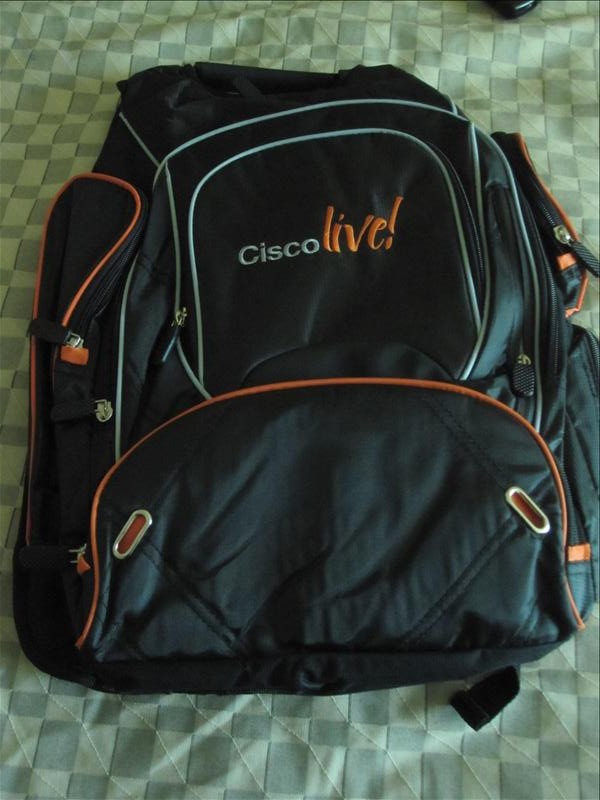
What do you need to bring with you for this event and what should you do to prepare?  Pack a good size suitcase and leave room!  You have the chance to get so many shirts, bags, whiz bangs, and other nick-knacks at World of Solutions you will need the space.  Not to mention if you shop at the Cisco Store there and get shirts, books, golf balls, pens, etc – you will need a place to take all that stuff back with you.  The first few years I would up shipping things back, and that does get expensive real quick!

FastMAC U-Socket Power Outlet (U=USB)


Well this week I FINALLY got my FastMAC U-Socket power outlet – keep in mind I ordered it back in March of 2011 – only took about 3 months to get it.  I knew it was back ordered when I ordered it, but I honestly never expected it to take 3 months.  The company did nothing to my awareness to notify me of the status during those three months.  I finally had to call and ask for a status when I noticed the website was showing in-stock – but when I did call they did move me ahead in the queue for shipment and I got them about  a week later.  Now that they are in-stock there, that fiasco should not happen to anyone else (chalk it up to wanting to be one of the first).  The only thing I am a little sore on is the shipping – even after all that time I was still had to pay to have them shipped. I would have been happy with a coupon equal to the shipping charge, oh-well – no big deal to be honest – the wait was worth it!
_**

What's in my toolbag


This post is more of an informative post with regards to what tools I tend to use on a regular basis in my job.  Recently, Stretch wrote about what was in his tool bag over on PacketLife.Net .  He has some GREAT information over there beside just that post, so if you have never visited you should wander over there when you have time.
 
For the most part I tend to use the many of the same tools he discussed, but figured it would be nice to share what I have in my bag. So, without further typing, here we go!
Note:  If you click on the pictures it will take you to a link to where you can either get the tool or a similar tool if the one I had is no longer availablee

Irwin 9-in-1 Multitool

This is probably my most used tool when I do not have to make cables.  It contains just about every nut, bolt, and screw that you will find in a data center.  It is easy to use, quick to find, and very versatile. No need to separate screw drivers or pliers, just grab this and you are good to go!

Network Warrior – 2nd Edition

Network Warrior – 2nd Edition

Recently, O’Reilly published the long awaited Network Warrior 2nd Edition by Gary Donahue (aka GAD).  This was a much anticipated update since technology has changed since the original publication back in 2007.  I am glad to see the inclusion of the Cisco ASA, Cisco Nexus, and IPv6, and Voice – as well as a few others.  Most (if not all) of the examples in the book are shown in different Cisco languages – CatOS, IOS, and also NX-OS.  These examples are great for helping the ready to understand and see the differences ( as well as the evolution ) of the codes.  

Cisco Archive and Configure

There has been some interesting discussions on configuration differences with IOS and JUNOS on Twitter the past few days.  One of the biggest things has been the inclusion of a Rollback command in JUNOS; and to be perfectly honest, that has to be one of the best commands that JUNOS has!
In case you are not familiar with it, in JUNOS if you submit a change and then enter commit confirm (default 10 minutes), the router will not “save” the configuration change until you commit the change again.  This way if you make a change, lock yourself out of the device, it will revert to the previous configuration and you should have your access back.
(some housekeeping)
Router/Switch Output
Commands
Notes

[edit]
user@host#
commit confirmed
commit confirmed will be automatically rolled back in 10 minutes unless confirmed
commit complete
#commit confirmed will be rolled back in 10 minutes
By entering commit again, the change will become permenant
[edit]

user@host# commit

Now, what about IOS?  Well, typically we do the reload in x command before we make a change, but is there another way?  Well, yes there is!  We have the archive command and the config replace command string that will perform a similar function to to the JUNOS command and less drastic then the reload in command.
So, lets first cover the archive command.
The archive command allows you to make an archive of the config either over a time-period (say 1440 minutes) or when the write-memory command is initiated.  The archive can be stored in flash, tftp, ftp, or a few other places. To setup archiving:
Rack1R2#conf t
Enter configuration commands, one per line.  End with CNTL/Z.
To enter the archive config, enter the archive command
Rack1R2(config)#archive
From there, you need to tell it 1) where to store the file and 2) what to call it.
Here it will be flash:/archive with a name of Rollback
Rack1R2(config-archive)#path flash:/archive/Rollback
Here I tell it to archive the previous config whenever the write-memory command is executed
Rack1R2(config-archive)#write-memory
Also, I might as well make sure that we back it up once a day at a minimum.  Range is from 1 minute to 525600 minutes (1 year)
Rack1R2(config-archive)#time-period ?
<1-525600>  Number of minutes to wait between archive creation
Rack1R2(config-archive)#time-period 1440
Rack1R2(config-archive)#
Now, if we look at the flash:/archive/ folder, what will we see?  Lets look (I already have some saved in memory)
Rack1R2#dir flash:archive
Directory of flash:/archive/
17  -rw-        1806   Jun 3 2011 19:34:16 +00:00  Rollback-2
18  -rw-        1806   Jun 3 2011 19:35:02 +00:00  Rollback-3
16  -rw-        1744   Jun 3 2011 19:31:54 +00:00  Rollback-1
512057344 bytes total (328622080 bytes free)
Rack1R2#
As you can see, we have a few files there, each appended with a number (call it revision with highest being most recent). To check, use the show archive command
Rack1R2#show archive
There are currently 4 archive configurations saved.
The next archive file will be named flash:/archive/Rollback-4
Archive #  Name

1       flash:/archive/Rollback-1
2       flash:/archive/Rollback-2
3       flash:/archive/Rollback-3 <- Most Recent
4
5
6
7
8
9
10
11
12
13
14
Rack1R2#
So, what does all this mean and how does this relate to the commit confirm command in Junos?  Good question!  Here we go!
So, when you need to do a change, just execute the archive config command prior to the change.  That will create a snapshot of the existing config in the archive directory.
Rack1R2#archive config

Lets take a look and see what revision we have saved:
Rack1R2#show archive
There are currently 5 archive configurations saved.
The next archive file will be named flash:/archive/Rollback-5
Archive #  Name

1       flash:/archive/Rollback-1
2       flash:/archive/Rollback-2
3       flash:/archive/Rollback-3
4       flash:/archive/Rollback-4 <- Most Recent
5
6
7
8
9
10
11
12
13
14
Rack1R2#
Now, there is another command that we need to know about – its the configure replace command!  We can use that similar to the commit confirm command because of the archive command.
Rack1R2#configure replace flash:archive/Rollback-4 time 60
That is all good – lets test the command!
 
I have R1 and R2 configured like the diagram below, connected via Frame-Relay and all interfaces are in RIPv2

Here is the routing table and interface status on R2:
Rack1R2#sh ip route
Codes: C – connected, S – static, R – RIP, M – mobile, B – BGP
D – EIGRP, EX – EIGRP external, O – OSPF, IA – OSPF inter area
N1 – OSPF NSSA external type 1, N2 – OSPF NSSA external type 2
E1 – OSPF external type 1, E2 – OSPF external type 2
i – IS-IS, su – IS-IS summary, L1 – IS-IS level-1, L2 – IS-IS level-2
ia – IS-IS inter area, * – candidate default, U – per-user static route
o – ODR, P – periodic downloaded static route
Gateway of last resort is not set
150.1.0.0/16 is variably subnetted, 4 subnets, 2 masks
R       150.1.1.1/32 [120/1] via 150.1.12.1, 00:00:23, Serial4/0.1
C       150.1.12.0/24 is directly connected, Serial4/0.1
R       150.1.11.0/24 [120/1] via 150.1.12.1, 00:00:23, Serial4/0.1
R       150.1.111.1/32 [120/1] via 150.1.12.1, 00:00:23, Serial4/0.1
150.2.0.0/32 is subnetted, 3 subnets
C       150.2.222.2 is directly connected, Loopback2
C       150.2.22.2 is directly connected, Loopback1
C       150.2.2.2 is directly connected, Loopback0
Rack1R2#sh ip int br | ex un
Interface                  IP-Address      OK? Method Status                Protocol
Serial4/0.1                150.1.12.2      YES manual up                    up
Loopback0                  150.2.2.2       YES manual up                    up
Loopback1                  150.2.22.2      YES manual up                    up
Loopback2                  150.2.222.2     YES manual up                    up
Rack1R2#
Here is the same information for R1
Rack1R1#sh ip route
Codes: C – connected, S – static, R – RIP, M – mobile, B – BGP
D – EIGRP, EX – EIGRP external, O – OSPF, IA – OSPF inter area
N1 – OSPF NSSA external type 1, N2 – OSPF NSSA external type 2
E1 – OSPF external type 1, E2 – OSPF external type 2
i – IS-IS, su – IS-IS summary, L1 – IS-IS level-1, L2 – IS-IS level-2
ia – IS-IS inter area, * – candidate default, U – per-user static route
o – ODR, P – periodic downloaded static route
Gateway of last resort is not set
150.1.0.0/16 is variably subnetted, 4 subnets, 2 masks
C       150.1.1.1/32 is directly connected, Loopback0
C       150.1.12.0/24 is directly connected, Serial4/0.1
C       150.1.11.0/24 is directly connected, Loopback1
C       150.1.111.1/32 is directly connected, Loopback2
150.2.0.0/32 is subnetted, 3 subnets
R       150.2.222.2 [120/1] via 150.1.12.2, 00:00:12, Serial4/0.1
R       150.2.22.2 [120/1] via 150.1.12.2, 00:00:12, Serial4/0.1
R       150.2.2.2 [120/1] via 150.1.12.2, 00:00:13, Serial4/0.1
Rack1R1#sh ip int br | ex un
Interface                  IP-Address      OK? Method Status                Protocol
Serial4/0.1                150.1.12.1      YES manual up                    up
Loopback0                  150.1.1.1       YES manual up                    up
Loopback1                  150.1.11.1      YES manual up                    up
Loopback2                  150.1.111.1     YES manual up                    up
Rack1R1#
Lets test the connectivity by PINGing R2 Loopback 2 from R1 Loopback2
Rack1R1#ping 150.2.222.2 so lo2
Type escape sequence to abort.
Sending 5, 100-byte ICMP Echos to 150.2.222.2, timeout is 2 seconds:
Packet sent with a source address of 150.1.111.1
!!!!!
Success rate is 100 percent (5/5), round-trip min/avg/max = 56/57/60 ms
Rack1R1#
Good, now lets test the config replace command (IOS Rollback)
First, we will archive the config
Rack1R2#archive config
Now lets see what archives we have:
Rack1R2#sh archive
There are currently 6 archive configurations saved.
The next archive file will be named flash:/archive/Rollback-6
Archive #  Name

1       flash:/archive/Rollback-1
2       flash:/archive/Rollback-2
3       flash:/archive/Rollback-3
4       flash:/archive/Rollback-4
5       flash:/archive/Rollback-5 <- Most Recent
[– SNIP –]

Ok, Rollback-5 is the most recent.
Now on R1 we will start a 1000 packet ping
Rack1R1#ping 150.2.222.2 so lo2 repeat 100
Type escape sequence to abort.
Sending 1000, 100-byte ICMP Echos to 150.2.222.2, timeout is 2 seconds:
Packet sent with a source address of 150.1.111.1
!!!!!!!!!!!!!!!!!!!!!!!!!!!!!!!!!!!!!!!!!!!!!!!!!!!!!!!!!!!!!!!!!!!!!!
!!!!!!!!!!!!!!!!!!!!!!!!!!!!!!
Now that we have that started, lets move on
Now, on R2 we will execute the configure replace command, set the timer to 60 seconds, then shut down the Serial 4/0 (frame-relay) interface
Rack1R2#configure replace flash:/archive/Rollback-5 time 60
Timed Rollback: Backing up to flash:/archive/Rollback-7
It will now ask you to make sure you want to do this – checks and balances
This will apply all necessary additions and deletions

to replace the current running configuration with the
contents of the specified configuration file, which is
assumed to be a complete configuration, not a partial
configuration. Enter Y if you are sure you want to proceed. ? [no]: Y
Total number of passes: 0
Rollback Done
*Jun  3 21:43:22.026: Rollback:Acquired Configuration lock.
Rack1R2#conf t
Enter configuration commands, one per line.  End with CNTL/Z.
Rack1R2(config)#int ser 4/0
Rack1R2(config-if)#shut
Rack1R2(config-if)#
*Jun  3 21:43:28.274: %LINK-5-CHANGED: Interface Serial4/0, changed state to administratively down
*Jun  3 21:43:29.274: %LINEPROTO-5-UPDOWN: Line protocol on Interface Serial4/0, changed state to down
Rack1R2(config-if)
Hmm, if we look at the ping that we have going on R1 we see that it can no longer PING R2
Rack1R1#ping 150.2.222.2 so lo2 repeat 1000
Type escape sequence to abort.
Sending 1000, 100-byte ICMP Echos to 150.2.222.2, timeout is 2 seconds:
Packet sent with a source address of 150.1.111.1
!!!!!!!!!!!!!!!!!!!!!!!!!!!!!!!!!!!!!!!!!!!!!!!!!!!!!!!!!!!!!!!!!!!!!!
!!!!!!!!!!!!!!!!!!!!!!!!!!!!!!!!!!!!!!!………………………….
……..
Lets wait…. there, the config just rolled back on R2 and R1 can PING again!
Rack1R1#ping 150.2.222.2 so lo2 repeat 1000
Type escape sequence to abort.
Sending 1000, 100-byte ICMP Echos to 150.2.222.2, timeout is 2 seconds:
Packet sent with a source address of 150.1.111.1
!!!!!!!!!!!!!!!!!!!!!!!!!!!!!!!!!!!!!!!!!!!!!!!!!!!!!!!!!!!!!!!!!!!!!!
!!!!!!!!!!!!!!!!!!!!!!!!!!!!!!!!!!!!!!!………………………….
…………………!!!!!!!!!!!!!!!!!!!!!!!!!!!!!!!!!!!!!!!!!!!!!!!!!
!!!!!!!!!!!!!!!!!!!!!!!!!!!!!!!!!!!!!!!!!!!!!!!!!!!!!!!!!!!!!!!!!!!!!!
!!!!!!!!!!!!!!!!!!!!!!!!!!!!!!!!!!!!!!!!!!!!!!!!!!!!!!!!!!!!!!!!!!!!!!
!!!!!!!!!!!!!!!!!!!!!!!!!!!!!!!!!!!!!!!!!!!!!!!!!!!!!!!!!!!!!!!!!!!!!!
!!!!!!!!!!!!!!!!!!!!!!!!!!!!!!!!!!!!!!!!!!!!!!!!!!!!!!!!!!!!!!!!!!!!!!
!!!!!!!!!!!!!!!!!!!!!!!!!!!!!!!!!!!!!!!!!!!!!!!!!!!!!!!!!!!!!!!!!!!!!!
!!!!!!!!!!!!!!!!!!!!!!!!!!!!!!!!!!!!!!!!!!!!!!!!!!!!!!!!!!!!!!!!!!!!!!
!!!!!!!!!!!!!!!!!!!!!!!!!!!!!!!!!!!!!!!!!!!!!!!!!!!!!!!!!!!!!!!!!!!!!!
!!!!!!!!!!!!!!!!!!!!!!!!!!!!!!!!!!!!!!!!!!!!!!!!!!!!!!!!!!!!!!!!!!!!!!
!!!!!!!!!!!!!!!!!!!!!!!!!!!!!!!!!!!!!!!!!!!!!!!!!!!!!!!!!!!!!!!!!!!!!!
!!!!!!!!!!!!!!!!!!!!!!!!!!!!!!!!!!!!!!!!!!!!!!!!!!!!!!!!!!!!!!!!!!!!!!
!!!!!!!!!!!!!!!!!!!!!!!!!!!!!!!!!!!!!!!!!!!!!!!!!!!!!!!!!!!!!!!!!!!!!!
!!!!!!!!!!!!!!!!!!!!
Success rate is 94 percent (948/1000), round-trip min/avg/max = 56/57/240 ms
Rack1R1#
So what happened on R2?  Here is the output on the console:
Rack1R2(config-if)#Timed Rollback: rolling to:flash:/archive/Rollback-7
!Pass 1
Neat, it will show you the commands it is about to enter!

!List of Commands:
interface Serial4/0
no shutdown
end
Total number of passes: 1
Rollback Done
*Jun  3 21:44:22.218: Rollback:Acquired Configuration lock.
Rack1R2(config-if)#
*Jun  3 21:44:22.778: %PARSER-3-CONFIGNOTLOCKED: Unlock requested by process ’21’. Configuration not locked.
Rack1R2(config-if)#
*Jun  3 21:44:24.586: %LINK-3-UPDOWN: Interface Serial4/0, changed state to up
*Jun  3 21:44:25.586: %LINEPROTO-5-UPDOWN: Line protocol on Interface Serial4/0, changed state to up
Rack1R2(config-if)#
If all is good after your change and you need to not roll-back, just issue the command configure confirm and it will cancel the rollback._
_
Rack1R2#configure confirm
 
If you already issued that command, you will get the following output:
Rack1R2#configure confirm
%No timed rollback pending
Rack1R2#
Not as simple as the JUNOS commands, but is still valuable in the IOS world!
 
R1 Config Here
R2 Config Here