This post will build off my last one, DMVPN, and here we will discuss the routing protocol options as well as each of their configurations. I will break out each protocol into a separate post in order to help keep things straight, putting them all together has the potential to get confusing (for both you and me!). The routing protocol options I will document are OSPF, RIPv2, EIGRP, and BGP and each has some unique features and quirks, so I will try and point them out where necessary.
The only problem that BGP introduces here is that it is a bit higher-touch for routing. You will need to configure the spoke as well as the HUB to support the new neighbor relationship. This might not be a big deal, but if you have quite a few of these sites, this means every add will require you to modify the hub router. Guess we could call it job security 🙂
Quick note: When I am posting the configurations for the sites I will only notate the routing protocol additions. If you need information on DMVPN configuration, see my previous post.
Router/Switch OutputCommandsNotes
Lets start with the DMVPN hub.
First, lets get that loopoback created so we have something to advertise.Rack1DMVPN(config)#interface Loopback0Rack1DMVPN(config-if)# ip address 100.100.100.100 255.255.255.255
This post will build off my last one, DMVPN, and here we will discuss the routing protocol options as well as each of their configurations. I will break out each protocol into a separate post in order to help keep things straight, putting them all together has the potential to get confusing (for both you and me!). The routing protocol options I will document are OSPF, RIPv2, EIGRP, and BGP and each has some unique features and quirks, so I will try and point them out where necessary.
One of the joys of RIPv2 in a DMVPN network is Split-Horizon. Just a quick refersher on Split Horizon – it is the rule that prohibits a router from advertising a route through an interface that the router itself uses to reach the destination. This is done in order to prevent loops in the network, but with DMVPN we need to disable this feature via the no split-horizon command.
Quick note: When I am posting the configurations for the sites I will only notate the routing protocol additions. If you need information on DMVPN configuration, see my previous post.
Router/Switch OutputCommandsNotesFirst up, the DMVPN hub.
This post will build off my last one, DMVPN, and here we will discuss the routing protocol options as well as each of their configurations. I will break out each protocol into a separate post in order to help keep things straight, putting them all together has the potential to get confusing (for both you and me!). The routing protocol options I will document are OSPF, RIPv2, EIGRP, and BGP and each has some unique features and quirks, so I will try and point them out where necessary. One of the joys of EIGRP in a DMVPN network is Split-Horizon. Just a quick refresher on Split Horizon – it is the rule that prohibits a router from advertising a route through an interface that the router itself uses to reach the destination. This is done in order to prevent loops in the network, but with DMVPN we need to disable this feature via the no split-horizon EIGRP AS# command. Quick note: When I am posting the configurations for the sites I will only notate the routing protocol additions. If you need information on DMVPN configuration, see my previous post. Router/Switch Output Commands Notes First up, the DMVPN hub: First thing we should do is create a loopback interface and address so we have something to see and ping. Rack1DMVPN(config)# int l0 Rack1DMVPN(config-if)# ip address 100.100.100.100 255.255.255.255
This post will build off my last one, DMVPN, and here we will discuss the routing protocol options as well as each of their configurations. I will break out each protocol into a separate post in order to help keep things straight, putting them all together has the potential to get confusing (for both you and me!). The routing protocol options I will document are OSPF, RIPv2, EIGRP, and BGP and each has some unique features and quirks, so I will try and point them out where necessary. Quick note: When I am posting the configurations for the sites I will only notate the routing protocol additions. If you need information on DMVPN configuration, see my previous post. Router/Switch Output Commands Notes OSPF What one needs to keep in mind here is that mGRE is a non-broadcast multi-access network (NBMA) how OSPF works. In order for OSPF to operate properly, the DMVPN hub router must be the OSPF DR and all the other routers should not be allowed to be a DR/BDR. The only way you could have a DR/BDR design if this was a multi-hub DMVPN network – and that is beyond the scope of this post (due to hardware limitation in my lab). Also, the mGRE tunnel on the hub router must be set to a OSPF broadcast network via the ip ospf network broadcast command. So, let’s get on with the configuration – DMVPN Hub first.
So let me talk a moment and talk about DMVPN – Dynamic Multipoint VPN technology. Currently I am working on a project to test the viability of a DMVPN network as well as help bring the team up to speed on this technology. Since I am doing that I figured it would be a good idea to share some of what I have learned with others – plus blogging it like this helps me to review the material at a later date. 🙄 So the first thing that probably should be answered – What is DMVPN? It is a solution for building a scalable IPsec VPN network utilizing the Internet (or other public network – say MPLS) for the WAN backbone. DMVPN takes advantage of another protocol, Next Hop Resolution Protocol (NHRP) and a Multipoint GRE tunnel interface. With NHRP the router will query the Next Hop Server (NHS) to find out a mapping for a network. Once it finds out the remote IP, the Multipoint GRE will build a dynamic tunnel between the two routers. It will then place that network in its NHRP mapping table. DMVPN can provide a full-mesh topology with a simplified configuration. You only need to have all the spokes communicate with the hub initially, and then from there the spokes can learn the outside IP of the other routers and build dynamic tunnels when they need to communicate. What is nice with this is that if you add a new spoke to the network, there are neither changes on the hub nor any other spoke – only the new spoke needs to be configured. What are some of the uses for DMVPN? Work at home workers, remote working locations via cellular, backup to a private WAN, and those are just to name a few. I am sure you can come up with some of you own based on your experiences. (continued)
Let me preface this post with a quick word – all the information presented here is pure speculation with a little bit of evidence to back up my speculation. By no means is any of this a guarantee nor a near-time release for any of these modules. This is me just presenting the information that I am able to find and sharing it with you. Now, I am excited for some of this – and it definitely shows where the Nexus 7000 is going – so I hope that this type of information can help keep you informed on where this platform is going. The future looks bright.
While I was doing the research on the track names for the Nexus line cards I came across a few things. Things that we have all either assumed or have heard rumors of, but I guess now we know what is coming in the future for the Nexus 7000. First this is a listing for Silverstone – Supervisor 2 module, a little curious for sure.
The second thing that I came across was a bit more interesting to me – its a Service Module – N7K-SVC-APP-HW-1 – named after the Indian God, Agni. What is curious is that Agni is a messenger from and to the other gods (modules), so it is aptly named. I am guessing that this will be a 2-port module (Agni has 2-heads) similar to what the WS-X6582-2PA adapter is to the 6500. @matthewnorwood just also suggested perhaps this is an Application Load Balancer similar to the ACE30 on the Cat6k, I actually think that might be a more realistic option.(continued)
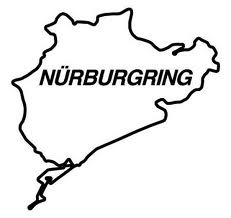
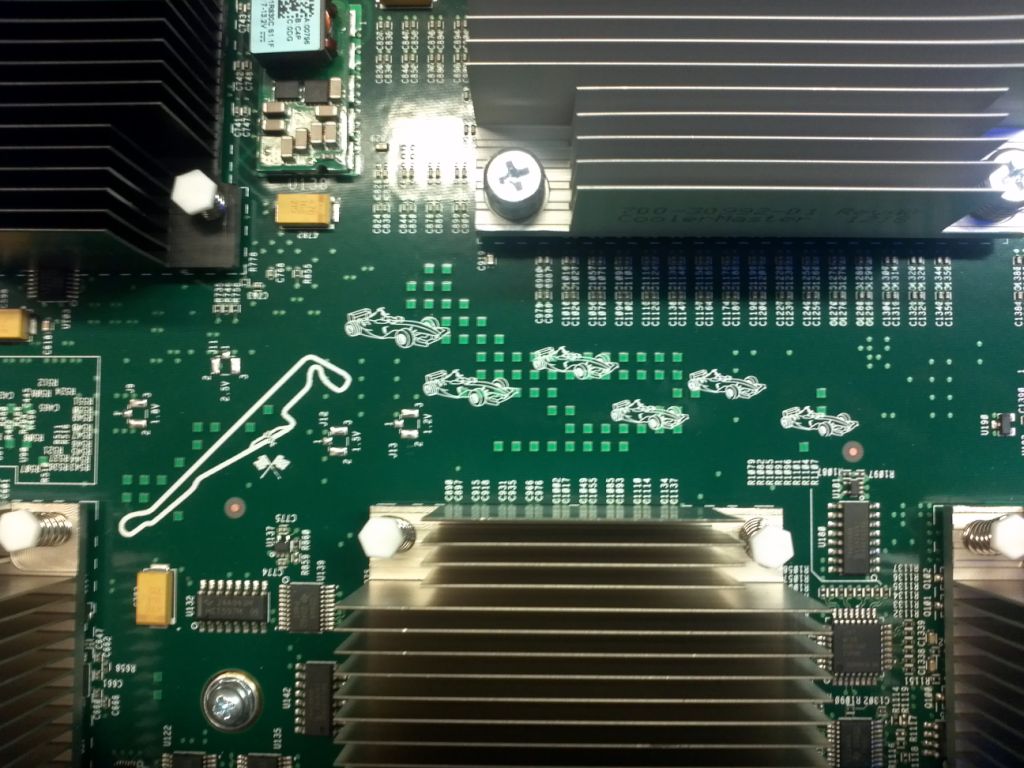
I figured I would take a few moments and blog about the different Nexus 7000 I/O modules families – the M1 and F1 (formerly D1). It is my understanding that the M in M1 stands for Multifuction and the F in F1 stands for Fabric/FCOE (or fast, depending on who you ask) . So, can you sense a car theme here with this line-up? M1? F1? Well, it only gets better – read on! (Update 8/7/2012) – Barry Reyes (Twitter) posted a picture on twitter about Formula 1 Racking and the Nexus line cards. Below is that picture:
First lets start with the M1 line cards – the N7K-M108X2-12L, N7K-M132XP-12, N7K-M148GT/S, N7K-M148GT/S-11L, N7K-M102CF-22L and N7K-M106FQ-23L. Some of the common features to all the M1 series of line cards is that they are L2/L3 capable, will support LISP as well as OTV.
N7K-M108X2-12LThe N7K-M108X2-12L is a 8-port 10G line card that uses the X2 series of GBICs. The X2 GBICs that are supported include the SR, LR, LRM, ER, ZR, LX4 and the CX4. This card was named after the Adelaide Street Circuit in South Australia. Some of the specs of this card are:
If you have not heard of it by now, let me take a moment and introduce you to a really good podcast called Packet Pushers Podcast (PPP for short). PPP is a bunch of networking nerds and uber geeks getting together around a virtual workbench and talking about topics that are of interest to us networking people. Past topics have ranged from Juniper Q-Fabric, LISP, MS Teredo, Arista Networks, Openflow, and many many more. Some of these topics might be new to you, some of them are an old hat, but no matter what they it is a great opportunity to listen and learn to what others have to say. Sometimes their view or understanding is different then ours. Also what is nice – sometimes the Vendors step in and join the conversation, so you are getting first-hand information! The primary topics focus on the core technologies – Routing, Switching, and Firewalls. These are the core of what most of us do on a day to day basis, and lets be honest – how many of us have time to research all the technologies and changing industries that are out there? We all can do some, but there are many more that we cannot look at, and this is where PPP is great. It is a chance to listen to about an hour podcast and listen and learn. I usually listen when I am either walking during lunch, cutting the grass at, or going for a bike ride after work (still trying to get rid of the CCIE 30.) (cont)
Networking Wiring – oh the joys of needing a cable and not having one with you or the length that you need. I figured I would post up some info on how to make Ethernet cables, Cross-over Ethernet cables, T1/E1 cables, and cross-over T1/E1 cables.
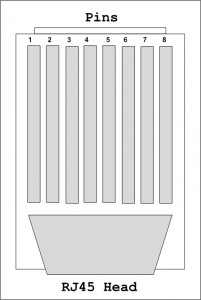
Here is a quick image of a RJ45 head with the pins numbered.
[][1]
When it comes to Ethernet cabling there are two common types – 568A and 568B – of wiring. The more commonly found one is 568B, but on occasion you will find 568A cabling in some older sites. The reason I want to mention both is because they come into play in a cross-over cable.
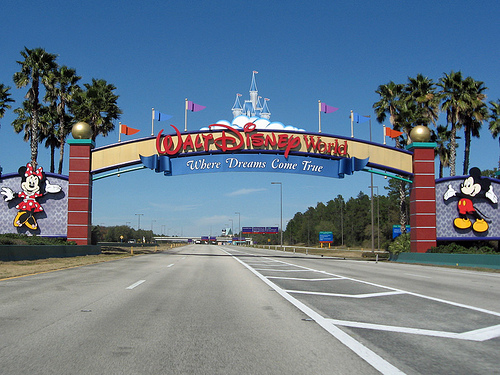
As some of you are aware, my family and I enjoy vacations at Walt Disney World on a yearly basis. In fact, we are Disney Vacation Club (DVC) members for over 10 years now and it was probably one of the best things we ever did. Alas, this is not a sales pitch for the DVC (but if you do call, Jeff Fry – Northampton, PA referred you :), but more of me wanting to share some of my tips and tricks that we have learned over the years.
Fly vs Drive
Due to our location we always fly to Disney. Our local airport is a small regional airport that is very easy to get in and out of, and to be honest, it is one of those that you can show up 30-45 minutes before your flight and still make it – with luggage. I prefer to find a direct flight as much as possible, these flights tend to be easier on the kids – as well as parents – since the stress of delays, connections, etc is greatly reduced Another benefit of staying on-site and flying is a thing Disney offers called Magical Express. This is a complimentary transportation service that is offered to Disney guests who are flying into Orlando (MCO). Disney will pick you up at the airport (ok, you take a free bus) and take you to your hotel, as well as that you do not need to worry about your luggage. They will deliver it to your room a few hours after you arrive -no need for you to wait at the luggage carousel. This is a great service that we love to use whenever we can!
 Fryguy's Blog
 This post will build off my last one, DMVPN, and here we will discuss the routing protocol options as well as each of their configurations. I will break out each protocol into a separate post in order to help keep things straight, putting them all together has the potential to get confusing (for both you and me!). The routing protocol options I will document are OSPF, RIPv2, EIGRP, and BGP and each has some unique features and quirks, so I will try and point them out where necessary.
The only problem that BGP introduces here is that it is a bit higher-touch for routing. You will need to configure the spoke as well as the HUB to support the new neighbor relationship. This might not be a big deal, but if you have quite a few of these sites, this means every add will require you to modify the hub router. Guess we could call it job security 🙂
Quick note: When I am posting the configurations for the sites I will only notate the routing protocol additions. If you need information on DMVPN configuration, see my previous post.
Router/Switch Output
Commands
Notes
Lets start with the DMVPN hub.
First, lets get that loopoback created so we have something to advertise.
Rack1DMVPN(config)#interface Loopback0
Rack1DMVPN(config-if)# ip address 100.100.100.100 255.255.255.255
This post will build off my last one, DMVPN, and here we will discuss the routing protocol options as well as each of their configurations. I will break out each protocol into a separate post in order to help keep things straight, putting them all together has the potential to get confusing (for both you and me!). The routing protocol options I will document are OSPF, RIPv2, EIGRP, and BGP and each has some unique features and quirks, so I will try and point them out where necessary.
The only problem that BGP introduces here is that it is a bit higher-touch for routing. You will need to configure the spoke as well as the HUB to support the new neighbor relationship. This might not be a big deal, but if you have quite a few of these sites, this means every add will require you to modify the hub router. Guess we could call it job security 🙂
Quick note: When I am posting the configurations for the sites I will only notate the routing protocol additions. If you need information on DMVPN configuration, see my previous post.
Router/Switch Output
Commands
Notes
Lets start with the DMVPN hub.
First, lets get that loopoback created so we have something to advertise.
Rack1DMVPN(config)#interface Loopback0
Rack1DMVPN(config-if)# ip address 100.100.100.100 255.255.255.255 This post will build off my last one,




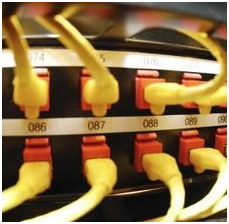 Networking Wiring – oh the joys of needing a cable and not having one with you or the length that you need. I figured I would post up some info on how to make Ethernet cables, Cross-over Ethernet cables, T1/E1 cables, and cross-over T1/E1 cables.
Here is a quick image of a RJ45 head with the pins numbered.
[
Networking Wiring – oh the joys of needing a cable and not having one with you or the length that you need. I figured I would post up some info on how to make Ethernet cables, Cross-over Ethernet cables, T1/E1 cables, and cross-over T1/E1 cables.
Here is a quick image of a RJ45 head with the pins numbered.
[ ][1]
When it comes to Ethernet cabling there are two common types – 568A and 568B – of wiring. The more commonly found one is 568B, but on occasion you will find 568A cabling in some older sites. The reason I want to mention both is because they come into play in a cross-over cable.
][1]
When it comes to Ethernet cabling there are two common types – 568A and 568B – of wiring. The more commonly found one is 568B, but on occasion you will find 568A cabling in some older sites. The reason I want to mention both is because they come into play in a cross-over cable.