/images/logo.png
A Network Blog by a Network Engineer

Juniper SRX DNS Proxy Configuration (Split-DNS)

This post is intended to show you how to configure a Juniper SRX to be a DNS proxy for your network. This will allow you to forward DNS queries to both a private DNS server for your local domain and a public DNS server for all other requests.

Using the SRX as a DNS proxy has a few advantages for a network administrator. The first being that if you need to ever change an upstream DNS server pointer, you just need to update the SRX and not all the clients. The second is that if you want to split domain name DNS queries among different DNS servers, you can do that. This is good if you have a .local domain server locally or over a VPN. This will allow you to keep that query local, yet all other requests will go to a public DNS server.

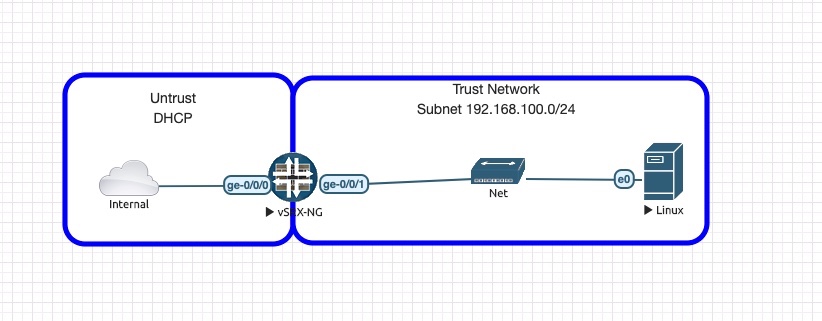
The topology for this lab is as follows:

  • The internal network in this topology is my Home network that is providing access to the Internet.
  • The SRX is configured with DHCP on the UNTRUST side to obtain an IP from my home network.
  • SRX is configured with a static IP of 192.168.100.1/24 on the TRUST side.
  • SRX is acting as DHCP server for 192.168.100.0/24 and serving DNS server IP of 192.168.100.1.
  • The SRX is NATing all traffic from TRUST to the UNTRUST interface.
  • Linux host is a simple Ubuntu 16.04 desktop default in EVE-NG.

You can find a copy of the EVE-NG topology as well as the SRX start and final configs in my github repository: https://github.com/FryguyPA/Junos-SRX-DNS-Proxy

Broadcom #NFD22

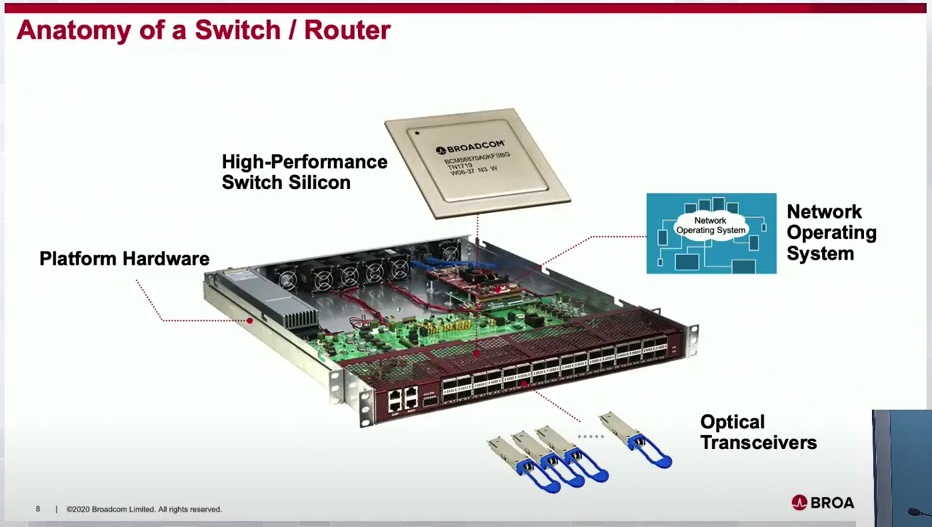
I have one way to describe the Broadcom session at NFD22, that term is NERDGASM! The presenters had to be some of the guys who are designing these chips, the depth of knowledge they had was incredible.

Broadcom are the engineers that make the merchant silicon chips that manufacturers like Cisco, Juniper, Arista, etc all use in their hardware. As you can see from the slide above, Broadcom is the heart of the unit as it is the silicon inside the switch/router.

PATCHBOX Setup.exe Review

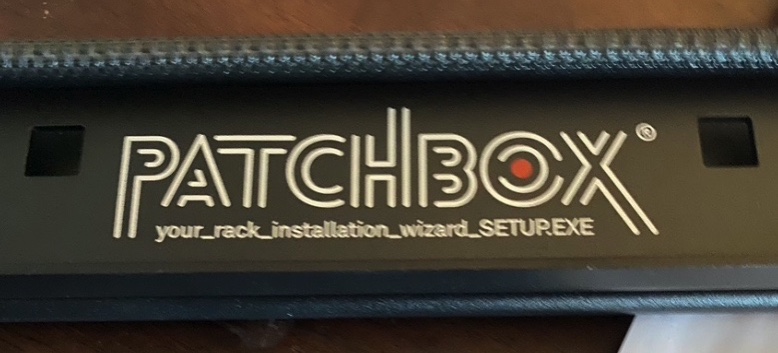
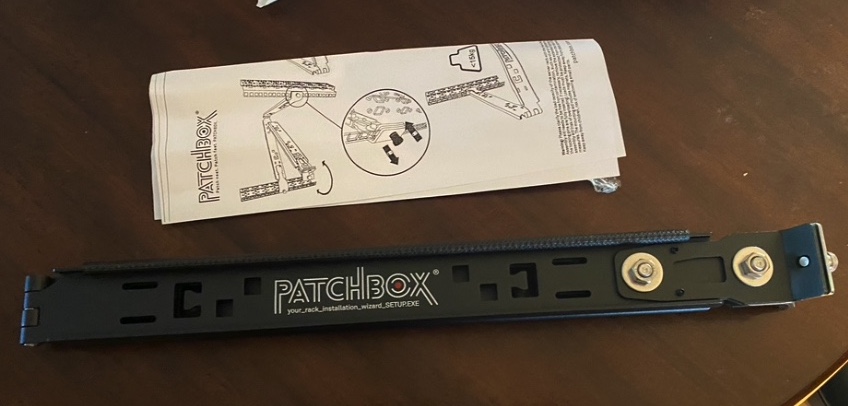
Over the past few months, while browsing social media, I came across an ad for the PATCHBOX Setup.exe and it caught my attention. I have installed and removed many network switches over my career and it can be a challenge to do this alone. Even with help, it can be hard to balance a switch during an install ( they do get heavier as the night gets longer ) or trying to not get in the way of installing the screws in the rack. The Setup.exe bills itself as a “third hand.” In the words of George Takei, “Oh my!” Yeah, it definitely lives up to its billing.

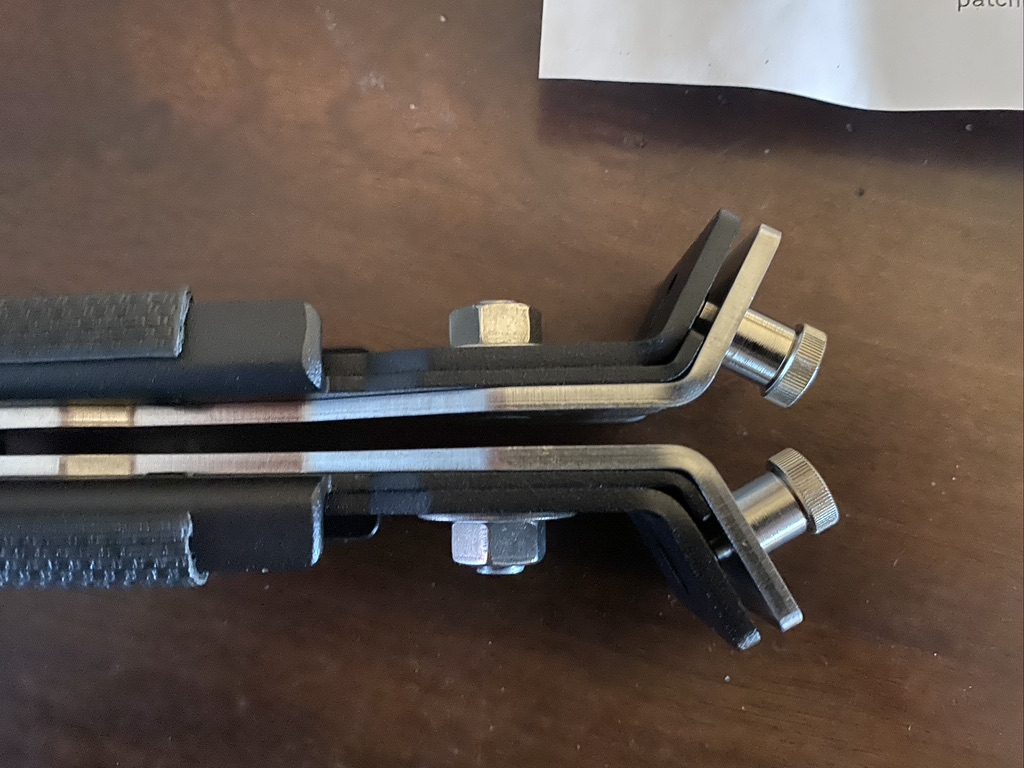
As can be seen in the pictures above, it is a standard 1RU device that snaps into the rack via the two Quick Release pins. These pins are spring-loaded so you to quickly install or remove the device in the rack. It fits in just about any square hole type rack (think standard 4-post type). Surprisingly, the Setup.exe even fit my Skeletek rack that has a bit thicker front rail. Please be aware that this device does not work in racks with threaded holes.

Gluware #NFD22

Recently I attended Networking Field Day 22 (NFD22) in San Jose, CA as a delegate. By attending NFD you may be exposed to companies that you may not normally come across. The company that I am going to talk about here is called Gluware and more specifically about how they can help with keeping your network configurations in compliance with the desired state.

What Gluware is wants to do you for your business is be the solution that can solve the automation and configuration compliance challenges. Their mission is “to apply powerful intelligence to enable transformative automation.” They also did state that they are a multivendor and multidomain ( LAN / WAN / Wireless) solution, which in my experience is important as multi-vendor networks are common.

There was something they mentioned that resonated with me. It was how they summed up the current state of automation into three main parts:

DriveNets #NFD22

Recently I attended Networking Field Day 22 (NFD22) in San Jose, CA as a delegate. By attending NFD you may be exposed to companies that you may not normally come across. The first company that presented, DriveNets, was one of those companies and here is their story.

DriveNets was founded a little over 4 years ago with a mission to “disrupt network economics with growth-ready cloud-based infrastructure.” Their main target market is the Tier 1 ISP ( ATT, NTT, Level3, etc). They started with four things in mind.

  1. Software-Based
  2. Scale
  3. Open Architecture
  4. Simple Operation

When you look at a “legacy service provider” network, you will see that there are four primary layers. You have

Network Field Day 22

Happy Days have returned! I have been invited to attend Network Field Day #22 (#NFD22) in San Jose, CA on February 12-14, 2020. If you are unfamiliar with Network Field Day, it is an event that is organized by Gestalt IT Media, LLC and brings together vendors along with independent bloggers (delegates). You can find more information over at their Tech Field Day website.

The list of delegates for this event is, as always, impressive. I am really honored to be part of this event and to be included among this group of individuals. Below you will see a list of the delegates for NFD22 along with a link to their Tech Field Day bio page and their social media. What to be a Tech Field Day Delegate, just visit this link and go for it!

Juniper NXTWORK 2019 Recap

The other week month I was able to attend Juniper NXTWORK 2019 in Las Vegas, NV. If you are unfamiliar with Juniper NXTWORK, it is the Juniper customer and partner conference that is held all over the world.

This year they offered the traditional JNCIE Lab testing prior to the event as well as a 1.5-day Contrail training session. Since I was not taking a lab this year, I figured I would take the Contrail training class and see what it is all about. It was a nice introduction of Contrail v19 ( they changed the versioning to the year ). I may try to do another post on that later.

I also attended the Hack-A-Thon again this year, and that was a great experience. What I like about Juniper’s Hack-a-Thons is that they focus more on the hacking/security then they do on Juniper products per se. They approach it from a way to learn about security, how to look for things, and what you can do to protect your network. I will try to write more on the Hack-a-Thon in another post.

Junos VRRP with Tracking

VRRP

Virtual Router Redundancy Protocol (VRRP) is commonly deployed on corporate networks in order to maintain default gateway redundancy for hosts. In this post, I will show you the commands to configure VRRP with route-tracking and interface-tracking.

For this lab, I will be using EVE-NG with four vSRX running 12.1X47-D15.4 code in packet-mode. I am using this version as it has the same features as newer codes, yet is less impactful on my lab hardware. The diagram for this lab is below, you can find the starting and ending configs at my GitHub repository. The root password for the devices is juniper123. BGP has been configured between INET and WAN1/WAN2 and is passing a default (0/0) route.

First up we will configure our VRRP on WAN1 and WAN2 using the virtual IP of 192.168.255.1. To configure VRRP there are a few things we need to remember in Junos.

  • The VRRP group on both routers has to match
  • In order to ping, you need to configure accept-data
  • VRRP is configured under the interface IP address
  • Higher priority is the preferred master
  • Preempt is required if you want to allow for the backup to take over

Junos – Loading Configs – 5 of 5 – Set

This is the fifth post in the Loading Configs series. In this post, we will cover the load set command. This allows you to enter commands into the buffer just like you would on the CLI. All these commands are either set or delete based commands. Yes, you can use this to delete as well.

Here is a quick refresher on what we are doing…

NXTWORK 2019 – It’s that time!

It’s that time – time for Juniper NXTWORK 2019 in Las Vegas, NV at Ceasars Palace!

Few quick things to know before you go:

(Update on registration)
The Registration Desk is located on the 2nd Floor, Promenade Level.

The IOS and Andriod NXTWORK 2019 app have been published and are available for download. You can also search for the app by entering NXTWORK 2019 Americas. When you first launch it you will need to log in with your e-mail and then you can either use the default password of NXTWORK, or just reset your password ( that is what I did ).